Privacy is an important part of using any online gaming platform. When creating an account, signing in, or managing profile information, users should understand how to protect their personal and account details.
This ZZK Game Privacy Guide explains practical ways to manage private information, secure login details, identify suspicious activity, and maintain better privacy while using an online gaming platform.
Why Privacy Matters on ZZK Game
Online accounts can contain different types of information, including usernames, contact details, login credentials, and account preferences.
Keeping this information private can reduce the risk of unauthorized access and other common online security problems.
Users should therefore make privacy a regular part of their account management routine rather than checking security settings only when something goes wrong.
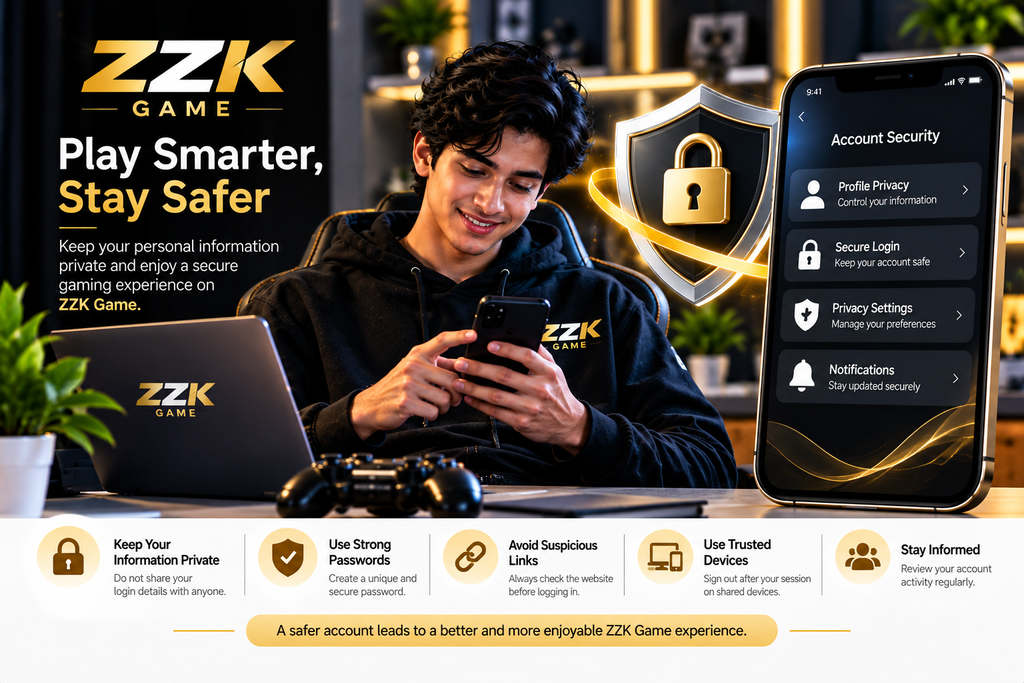
1. Keep Your Account Information Private
Personal account information should not be shared publicly or with unknown individuals.
Avoid posting sensitive details on social media, public forums, chat groups, or websites. Information such as passwords, verification codes, and private account details should remain confidential.
When someone asks for your account information, verify who they are and why the information is required before providing anything.
2. Use Strong Login Credentials
A strong password is one of the simplest ways to improve account security.
When creating or updating your password, consider these practices:
- Use a combination of letters, numbers, and symbols.
- Avoid using easily guessed information.
- Do not reuse the same password across multiple accounts.
- Never share your password with another person.
- Change compromised credentials as soon as possible.
If additional security options are available, review the official account instructions before enabling them.
3. Be Careful With Verification Codes
Verification codes can sometimes be used to confirm account access or perform security-related actions.
Treat these codes as private information. Do not forward them to other people, even if someone claims to be from customer support.
If you receive an unexpected verification message, check whether you recently attempted to log in or make an account change.
4. Check the Website Before Logging In
Fake websites can sometimes look similar to legitimate platforms.
Before entering your username, password, or other private information, check the website address carefully.
Look for:
- The correct domain name
- A secure HTTPS connection
- Unexpected redirects
- Unusual spelling or website design
- Suspicious download prompts
Avoid entering account credentials on websites reached through unknown messages or suspicious advertisements.
5. Protect Your Account on Shared Devices
Using a public or shared computer requires additional care.
After finishing your session, sign out of your account and avoid saving passwords in the browser.
You should also avoid using the browser’s password-saving feature on computers that other people can access.
If possible, use your own trusted device for account management.
6. Review Your Account Activity
Regularly reviewing your account can help you notice unusual changes.
Look for unfamiliar activity, unexpected profile changes, or login-related notifications.
If something appears unusual, secure your account through the official platform and follow the available support process.
Early attention can help prevent a small security concern from becoming a larger account problem.
7. Avoid Suspicious Links and Downloads
Users may encounter links claiming to provide special access, account benefits, updates, or downloads.
Do not automatically trust such links.
Before downloading an application or opening a website, verify its source. Unknown files can potentially contain unwanted software or attempt to collect private information.
Use official sources whenever downloads or account-related actions are required.
8. Manage Your Privacy Settings
If privacy controls are available within your account, review them regularly.
Depending on the platform, privacy-related options may include profile visibility, notifications, communication preferences, or other account controls.
Read the description of each option before changing it. This helps you understand what information may be visible or how account communication works.
9. What to Do If You Suspect Unauthorized Access
If you believe someone may have accessed your account, take action quickly.
Start by changing your password through the official account page. If additional security options are available, review them as well.
You should also check whether your profile information or account settings have been changed.
For unresolved problems, contact the platform’s official support channel rather than relying on unknown third parties.
10. Simple Privacy Checklist
Before using your account, keep this checklist in mind:
- Keep your password private.
- Avoid sharing verification codes.
- Check website addresses before logging in.
- Use trusted devices whenever possible.
- Avoid suspicious downloads.
- Review account activity regularly.
- Keep personal information private.
- Follow official security instructions.
- Report suspicious account activity through the appropriate support channel.
These simple habits can make everyday account management safer and more organized.
Frequently Asked Questions
What is a ZZK Game Privacy Guide?
A ZZK Game Privacy Guide provides practical information about protecting personal information, login credentials, and account details while using an online gaming platform.
How can I protect my ZZK Game account?
Use a strong password, keep verification codes private, avoid suspicious links, and review your account information regularly.
Should I share my account password with someone?
No. Passwords should remain private and should not be shared with other people.
What should I do if I notice unusual account activity?
Secure your account through the official platform and use the appropriate support process if you need further assistance.
Is it safe to use ZZK Game on a shared computer?
If you use a shared computer, avoid saving your login credentials and always sign out after completing your session.
Conclusion
Protecting personal information is an important part of managing any online account. By following basic privacy practices, keeping login credentials confidential, checking website addresses, and paying attention to unusual activity, users can maintain better control over their account information.
This ZZK Game Privacy Guide can serve as a practical reference for reviewing privacy habits and improving everyday account security.